Adding a new letter

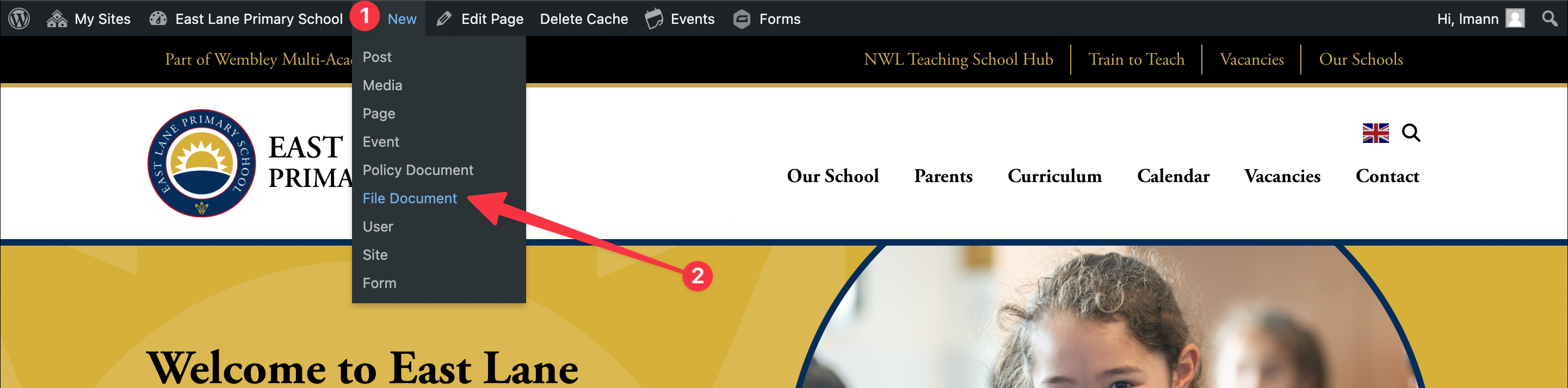
Step 1: Hover over new in the admin toolbar
Step 2: Click “File Document”
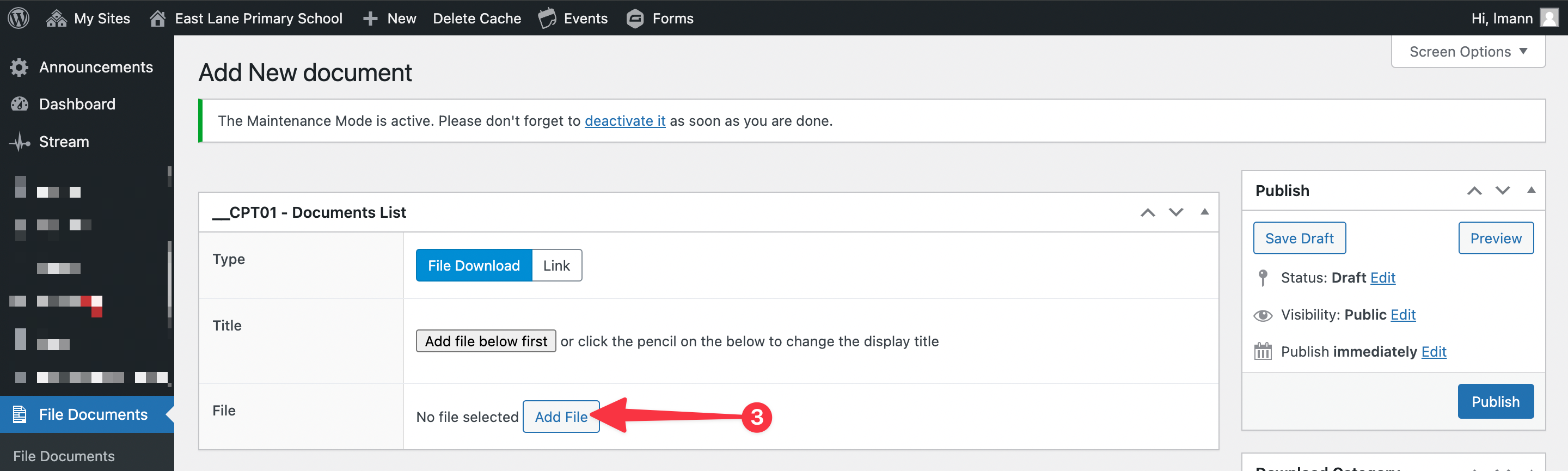
Step 3: Click the “Add file” button
Step 4: Drag and drop the file to upload
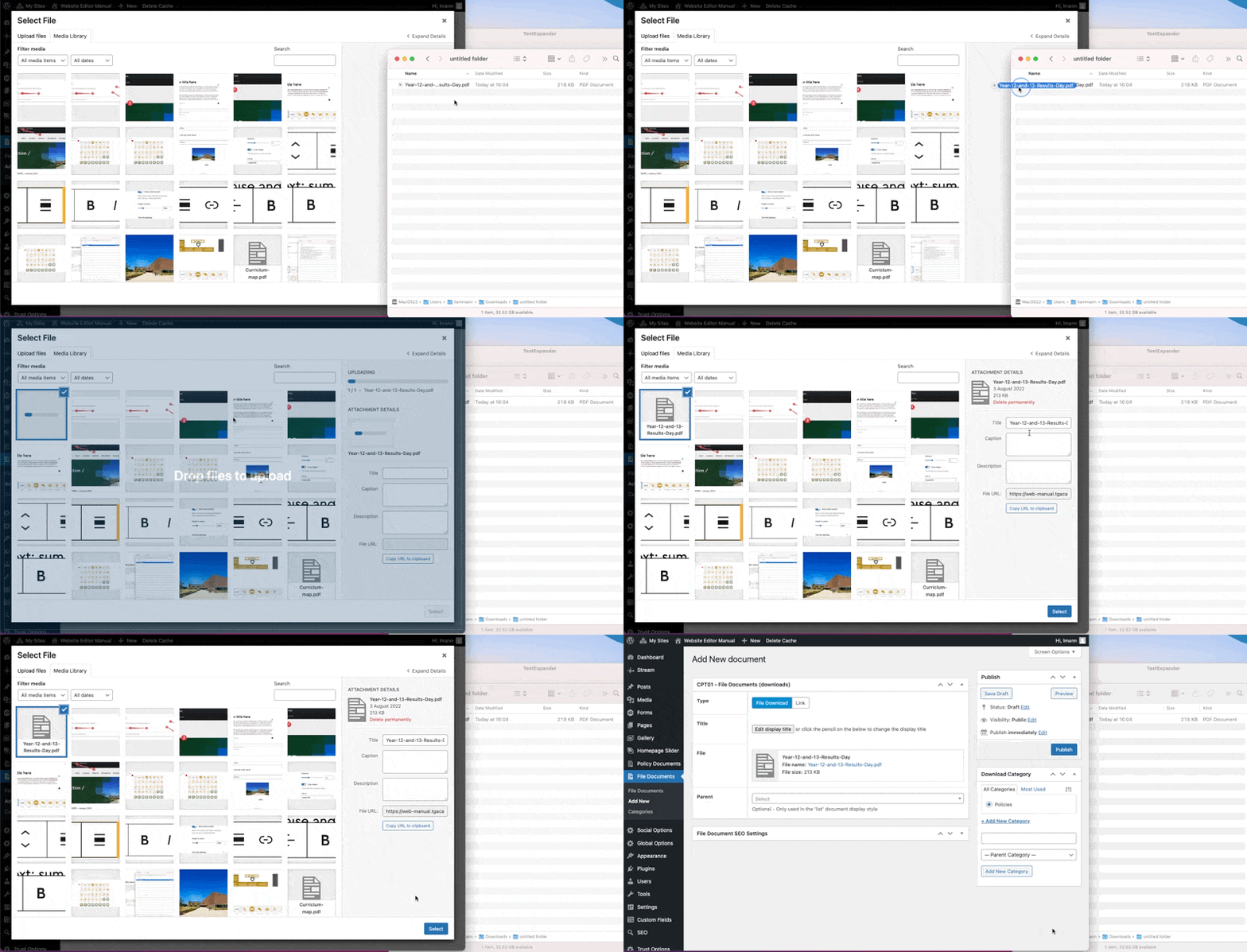
Step 5: Update the file title
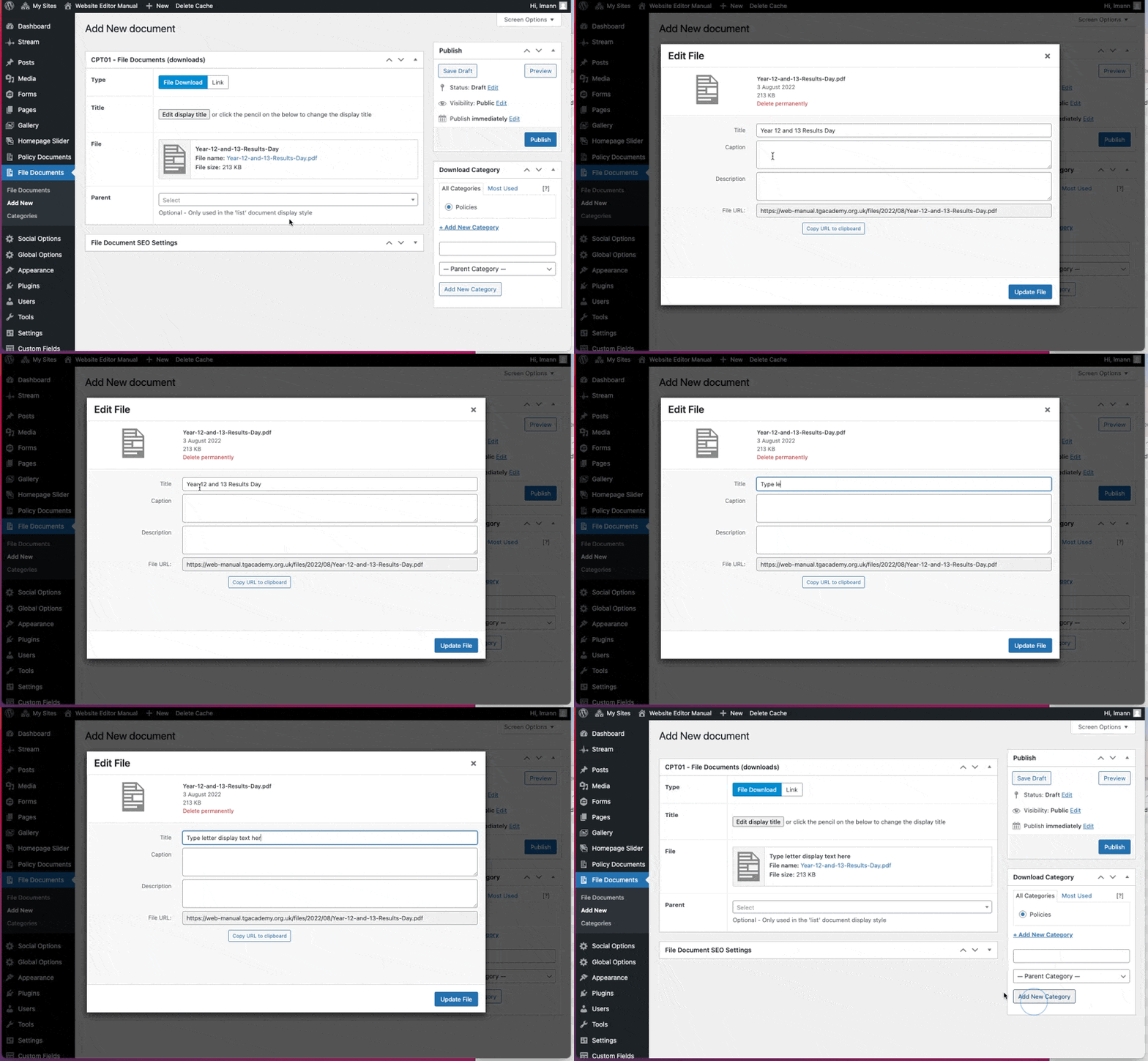
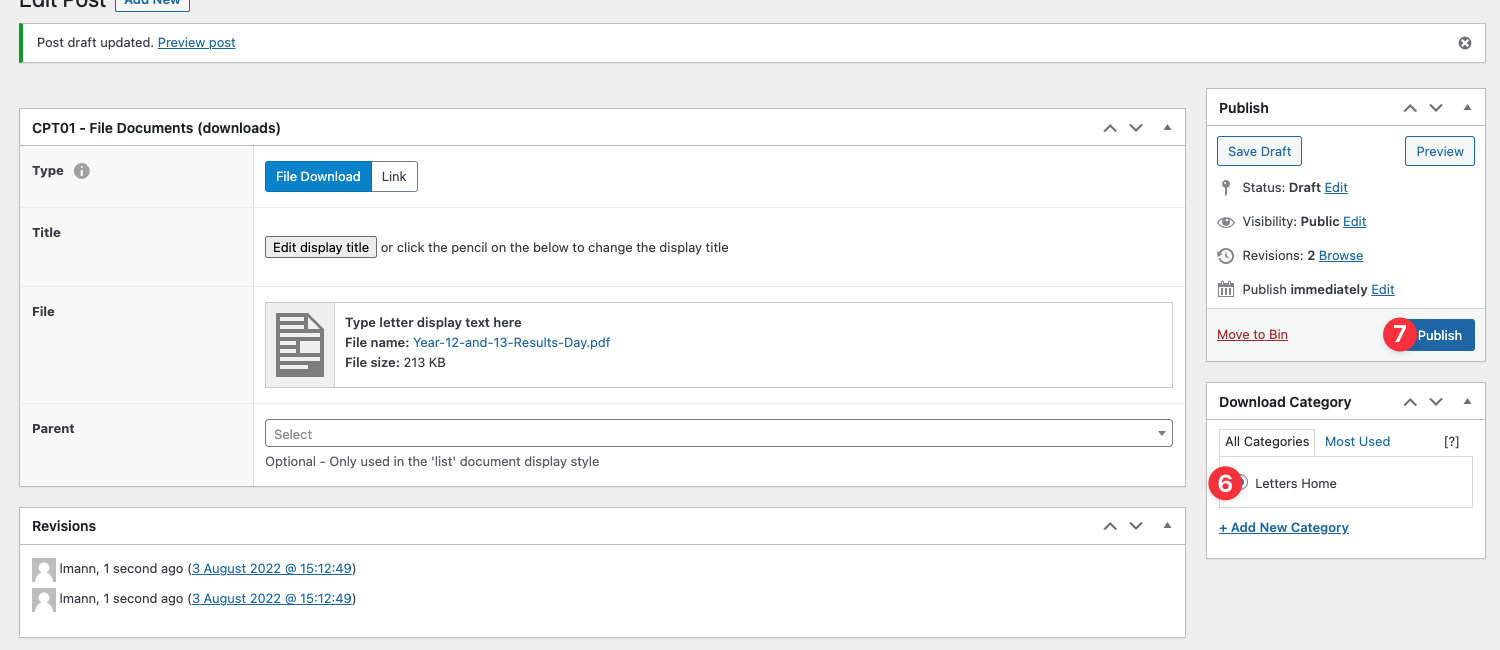
Step 6: Select the category
Step 7: Publish
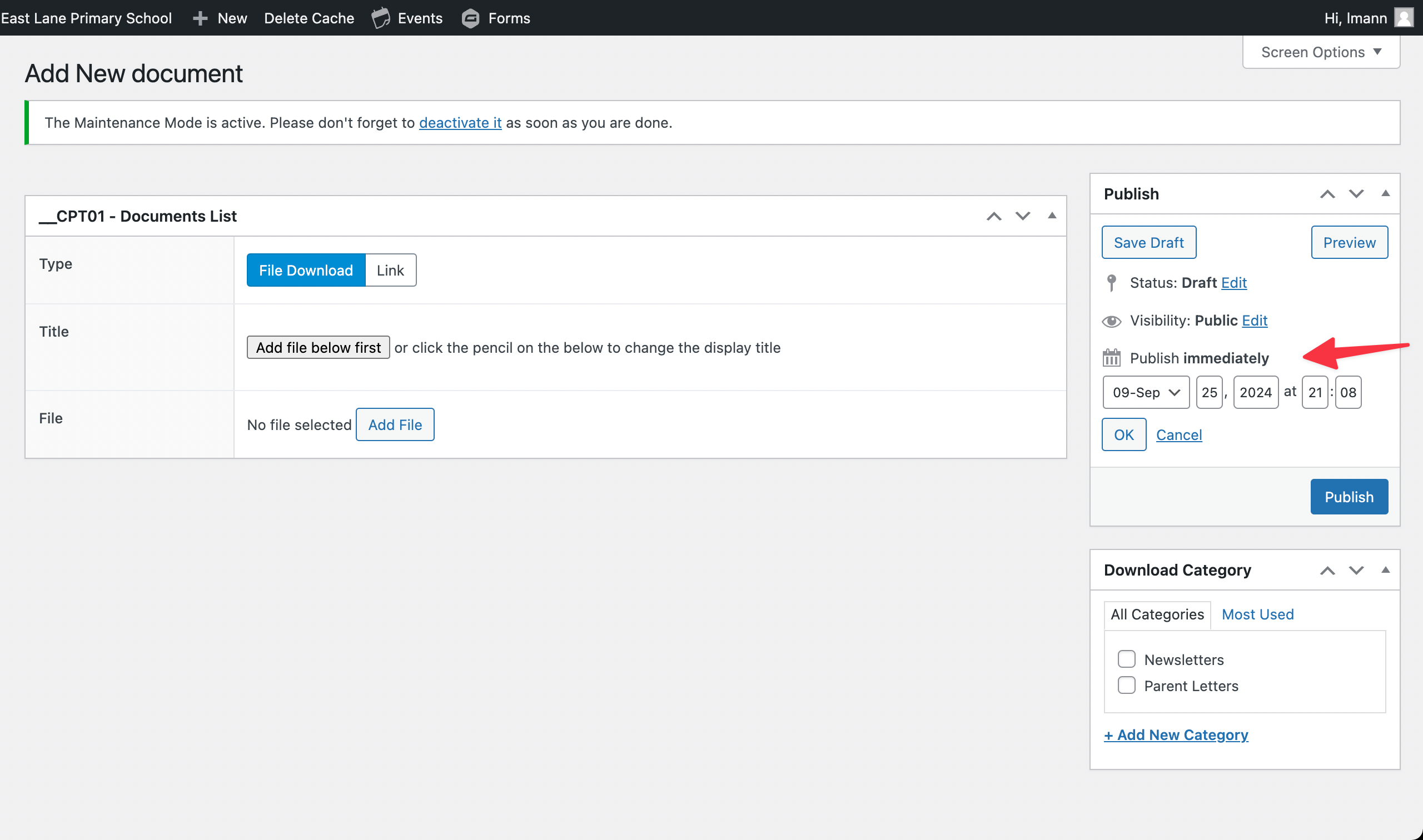
Backdating a letter
Step 1. Click the “edit” link next to “publish immediately”
Step 2. Select and type in the correct date
Step 3. “ok” button to confirm the new publish date