Paragraph Block

The Paragraph block is the default block type for text added to the editor. It is probably the block you will use most.
Block Toolbar

The Paragraph block has the following options in its toolbar:
- Change to another type of block
- Drag block handle to change the block position
- Move the block up or down
- Align the text to the left, center, or right
- Make the highlighted text bold
- Make the highlighted text italic
- Insert hyperlink
- More options
- Block options
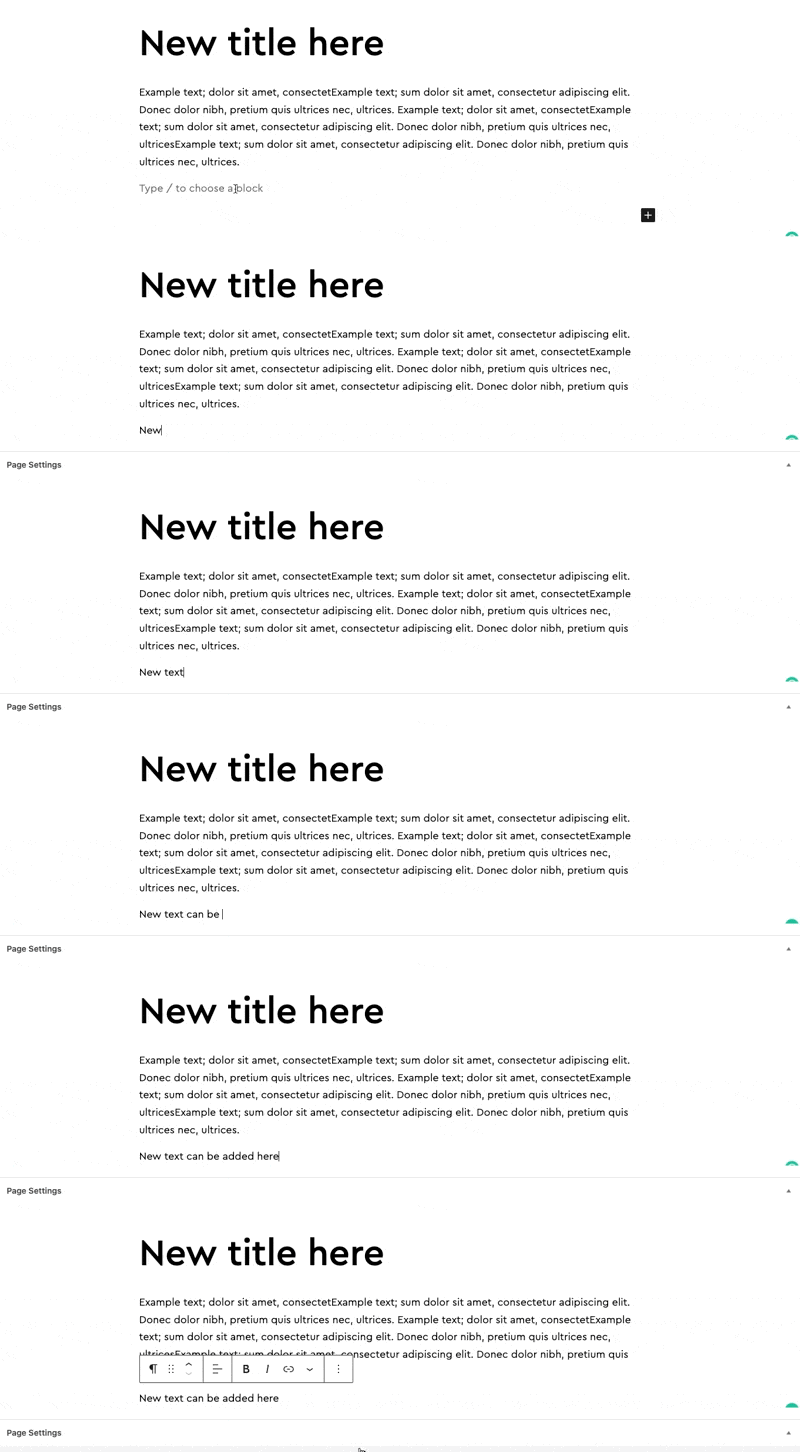
Inserting
New paragraph blocks are added by clicking at the end of the page and typing.
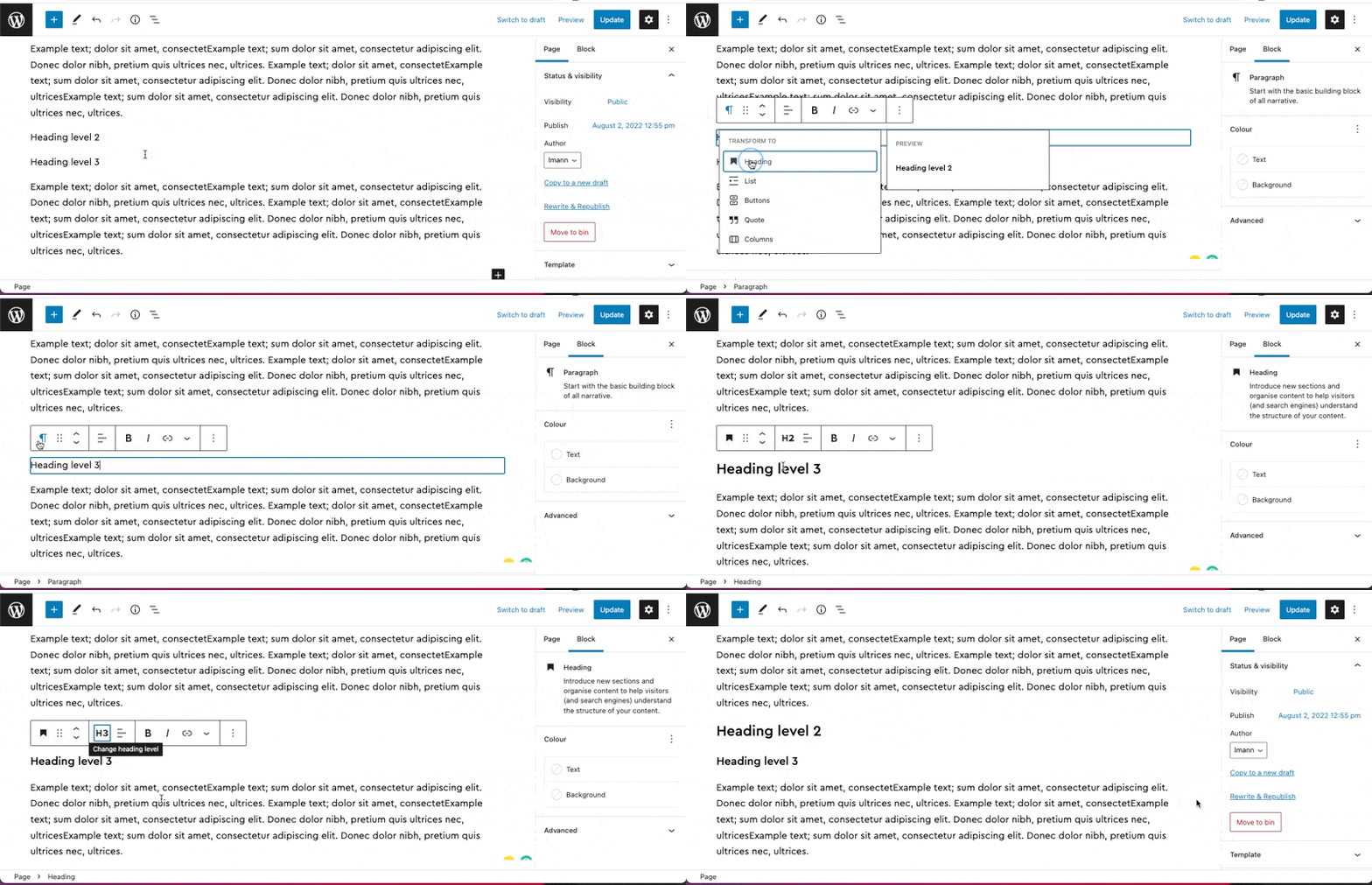
Transforming
Block can be transformed into a different block by clicking the first icon and selecting the new block type. This will keep your existing block content but move it to the new style.