
File Block

The File block allows you to place a download button for documents and other files on your website. Drag and drop files to upload them to your page or post.
Inserting
Adding documents
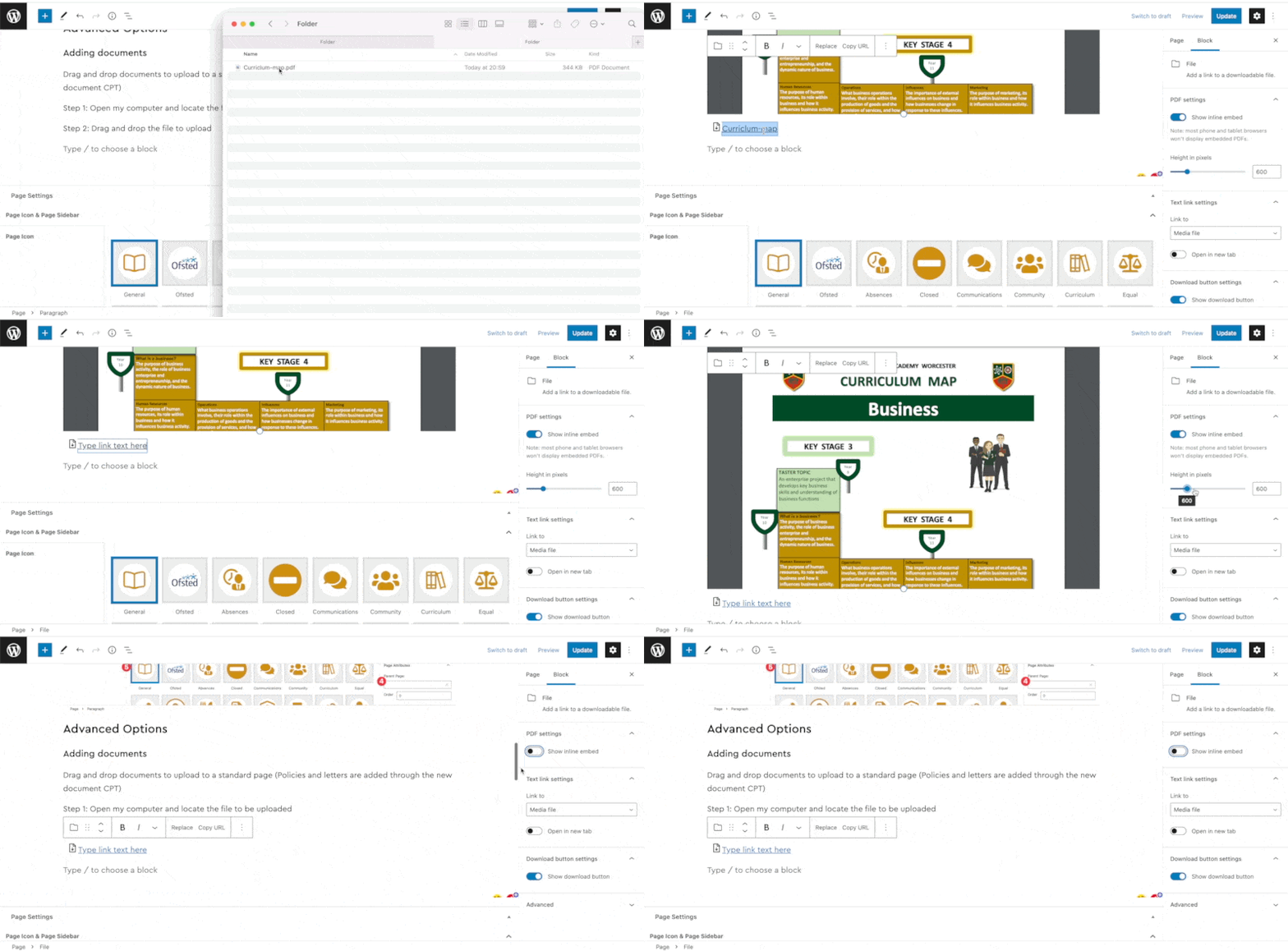
Drag and drop documents to upload to a standard page (Policies and letters are added through the new admin dropdown)
Step 1: Open my computer and locate the file to be uploaded
Step 2: Drag and drop the file to upload
Step 3: Rename the blue link text
Step 4: Adjust the PDF preview height or toggle the inline embed to remove
Block Settings Panel
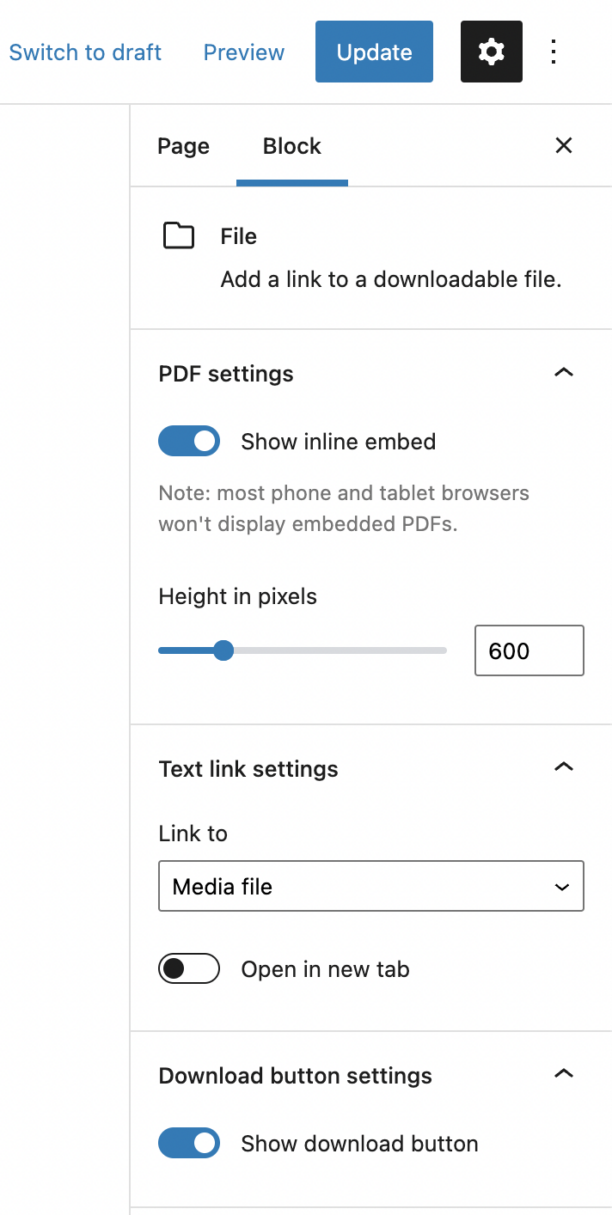
Every block has specific options in the editor sidebar in addition to the options found in the block toolbar. If you do not see the sidebar, simply click the ‘cog’ icon next to the Publish button.
PDF Settings
- Show inline embed: toggle the inline preview
- Height in pixels: resize the height of the PDF preview