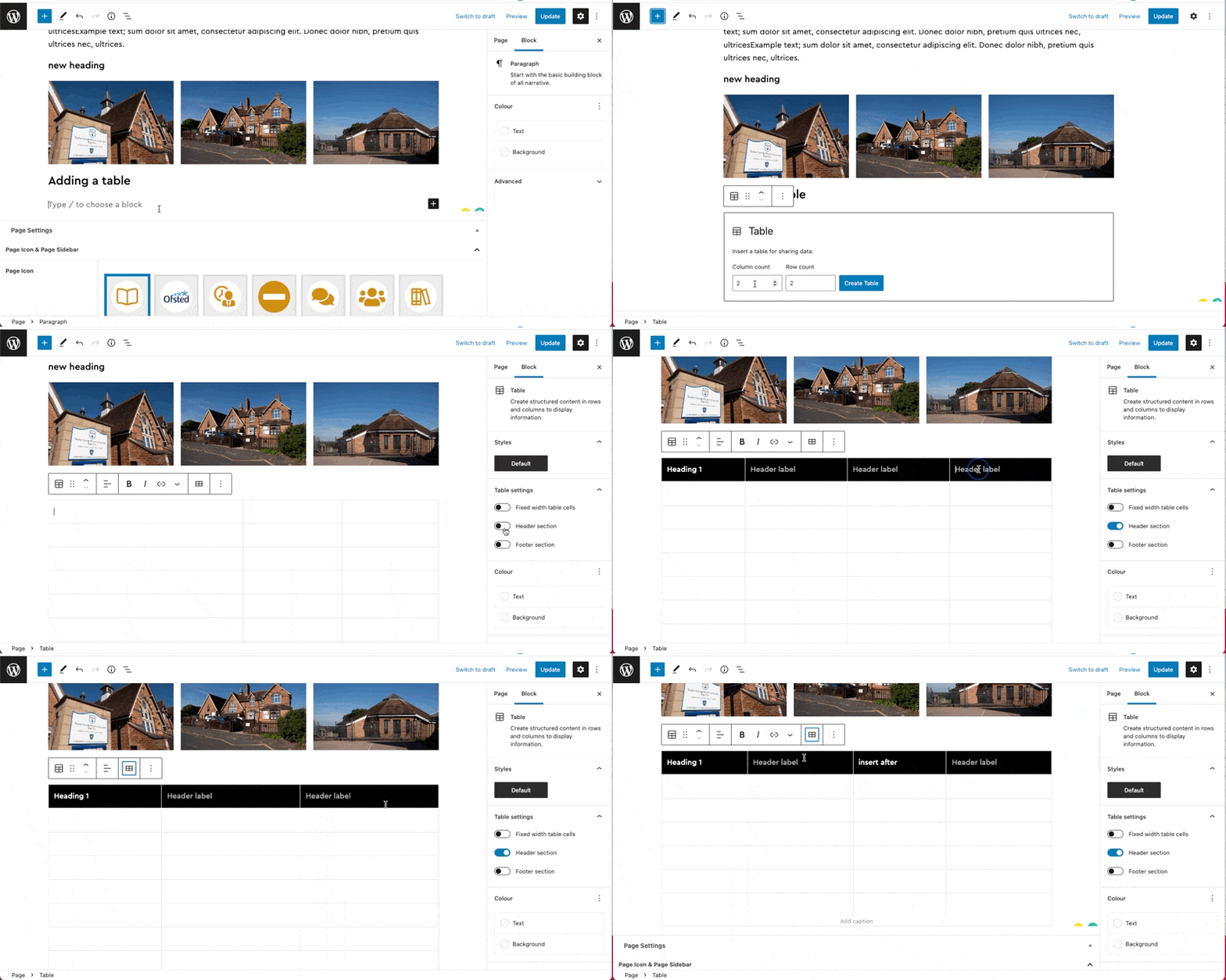
Table Block

The Table block allows you to create a table in any post or page easily.
Block Toolbar

The Table block has the following options in its toolbar:
- Change block type.
- Drag the block.
- Move the block up or down.
- Change table alignment.
- Change column alignment.
- Edit the table to insert or delete rows and columns.
- Other options.
Inserting
Step 1: Click the add new block button
Step 2: Find the table block and click it
Step 3: Close the new block sidebar
Step 4: Select the amount the columns and rows
Step 5: Reopen the block sidebar (cog in the top right)
Step 6: (optional) Add a table header
Step 7: Use the toolbar to add more columns or rows. You can also delete rows and columns here
Step 8: Select the fixed width in the block sidebar if you want all the table to visible and no horizontal scroll