Creating a new page

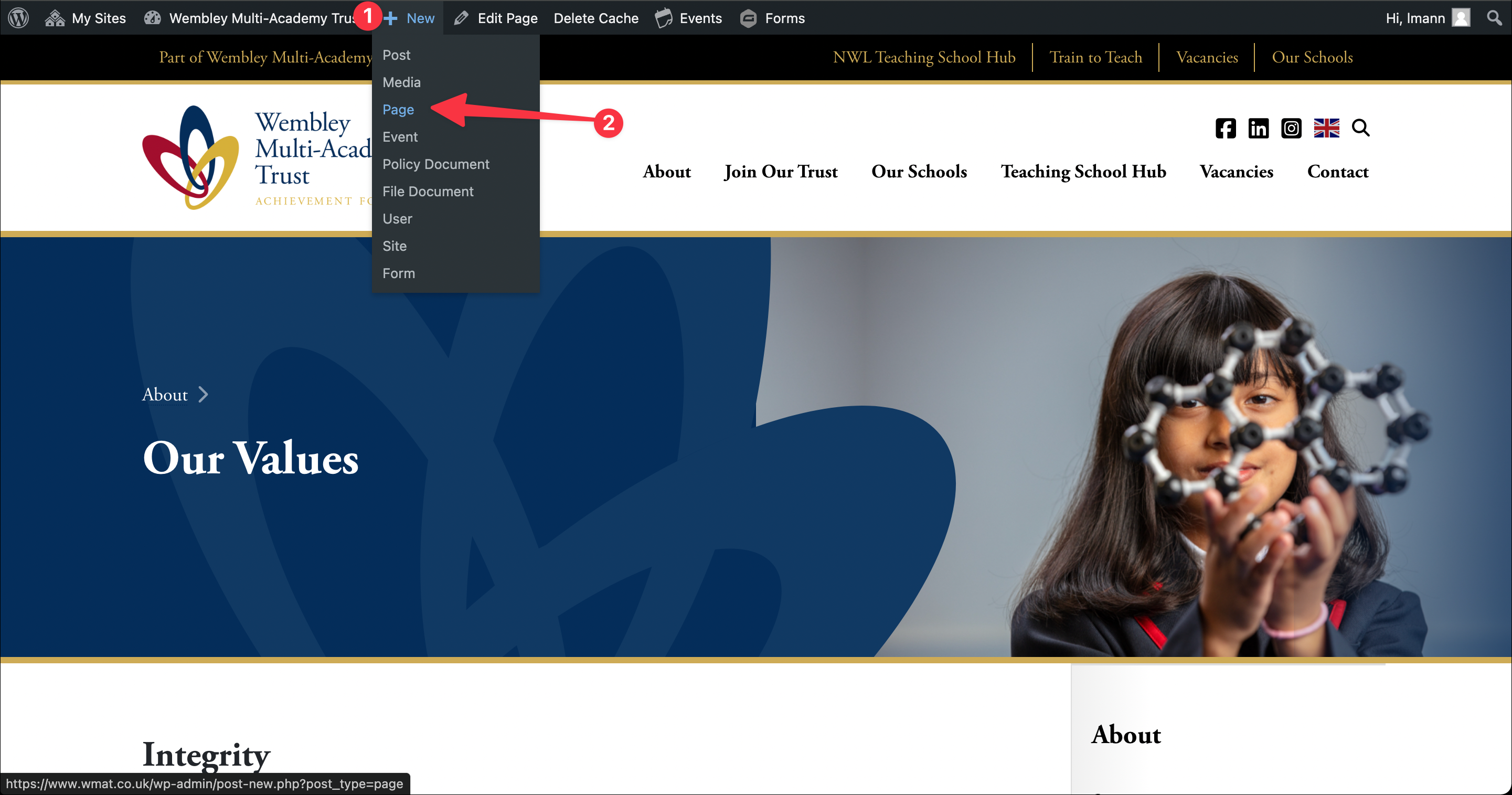
Step 1: Hover over the new admin bar button and
Step 2: Click “page”
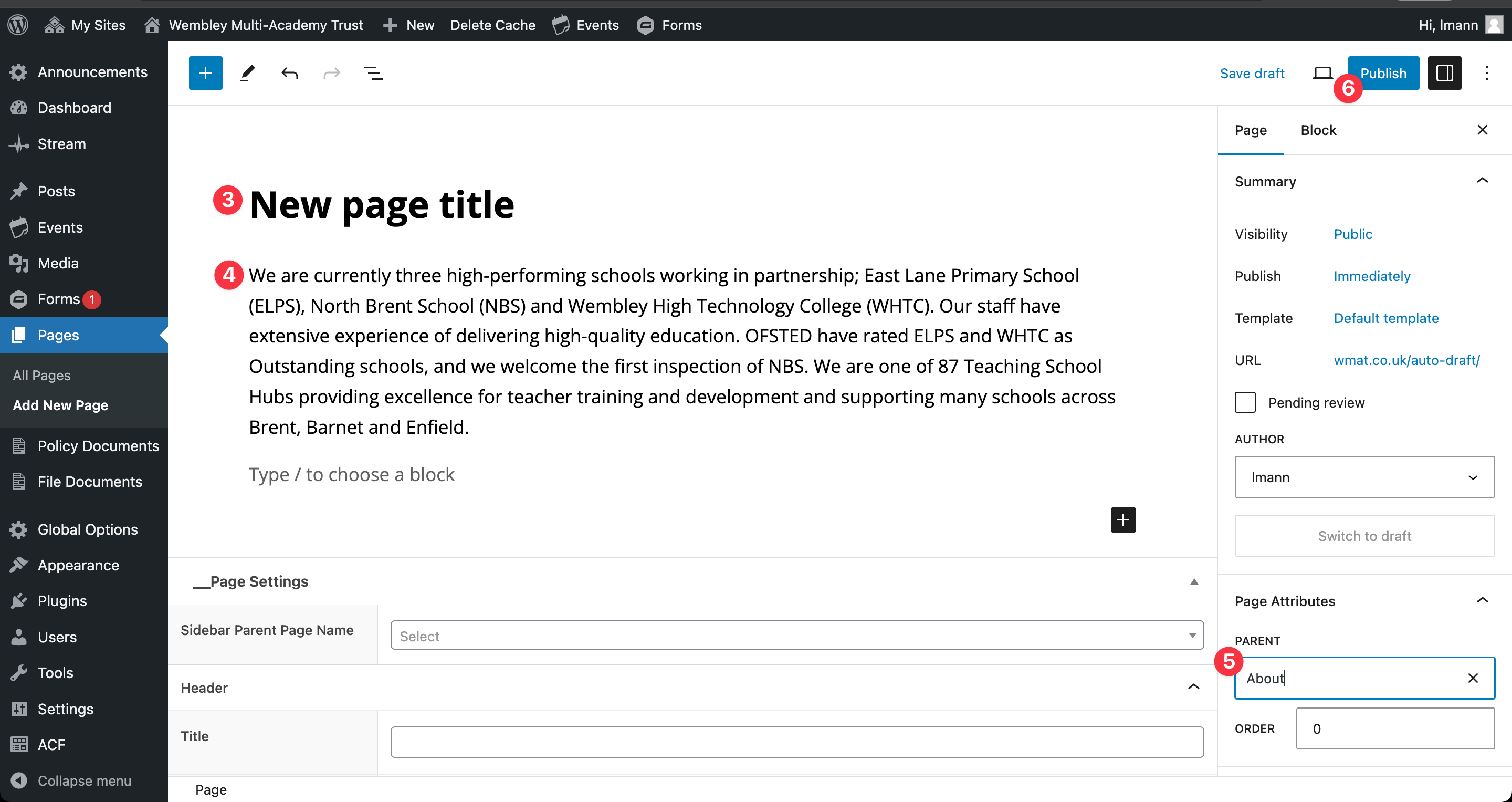
Step 3: Type your page title
Step 4: Add content (copy and paste from MS Word and keep MS Word formatting)
Step 5: Select your page parent. Eg “Our School”
Step 6: Publish
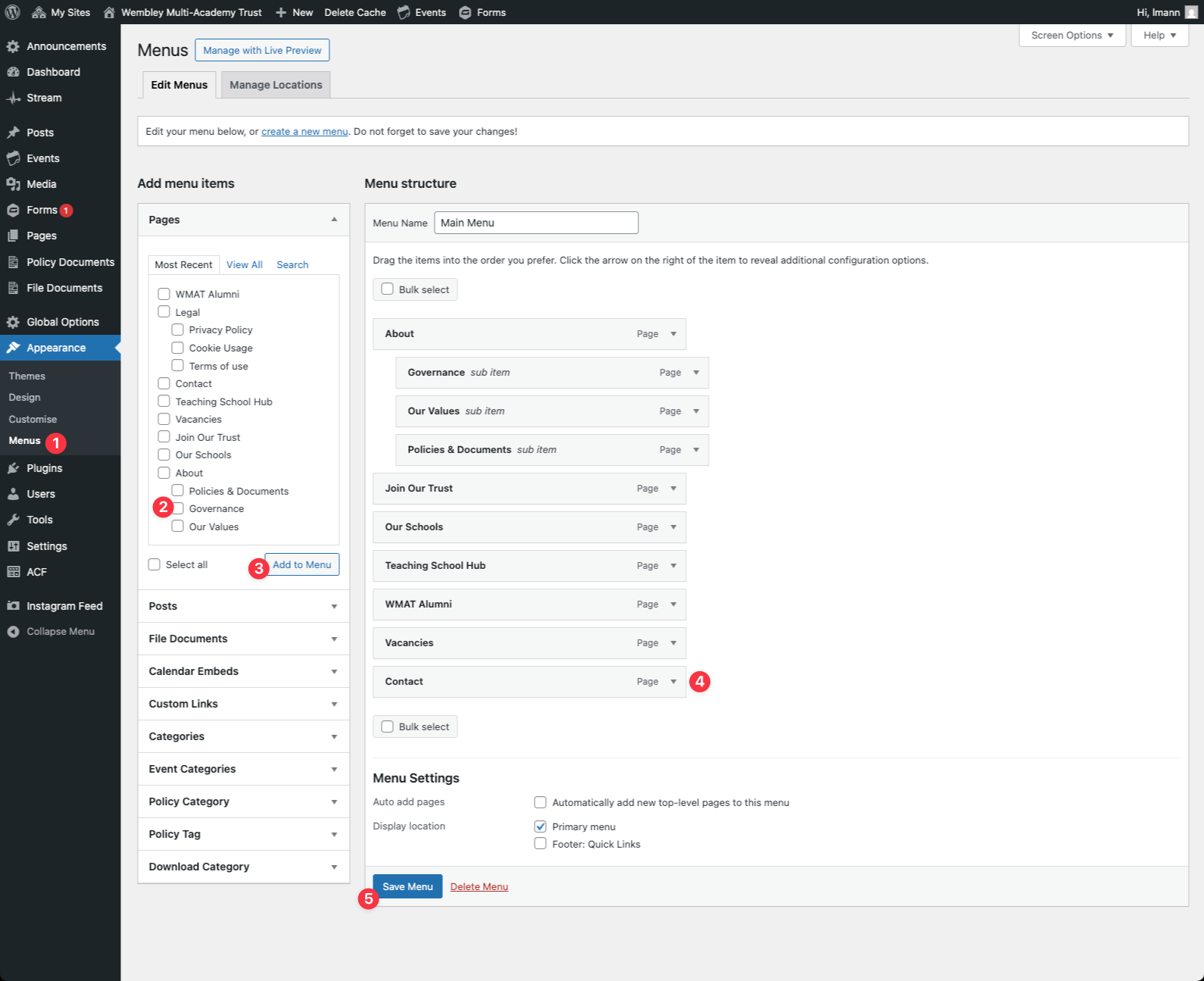
Adding the new page to the main menu
- Go to “Appearance” > “Menus” in the admin dashboard
- Select the new page checkbox
- Click “add to menu”
- Drag the new page into the correct position in the menu
- Save the changes