Editing a page

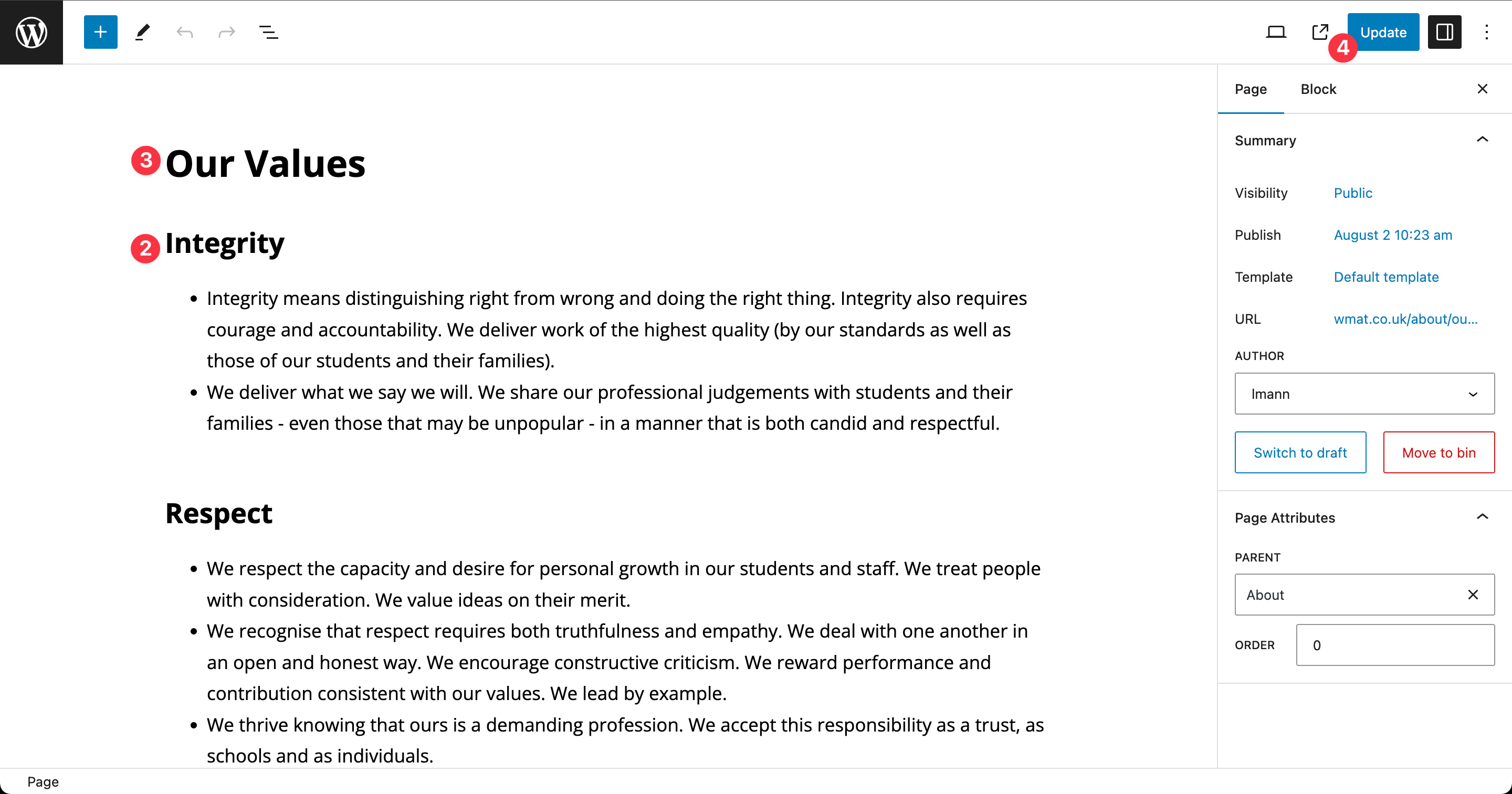
Step 1: Click “edit page” in the admin bar

Step 2: Add content (copy and paste from MS Word and keep MS Word formatting). See the section on different blocks to find out how to add them.
Step 3: (optional) Changing the page title
Step 4: Update
Advanced
Replacing the page header photo
The page header photograph can be changed using the editor
Step 1: Scroll down to the page header section
Step 2: Click the add image button
Step 3: Find the new header image on your computer and then drag and drop it on the editor
Step 4: Click the blue “Select” button
Step 5: Don’t forget to click the “update” button in the top right