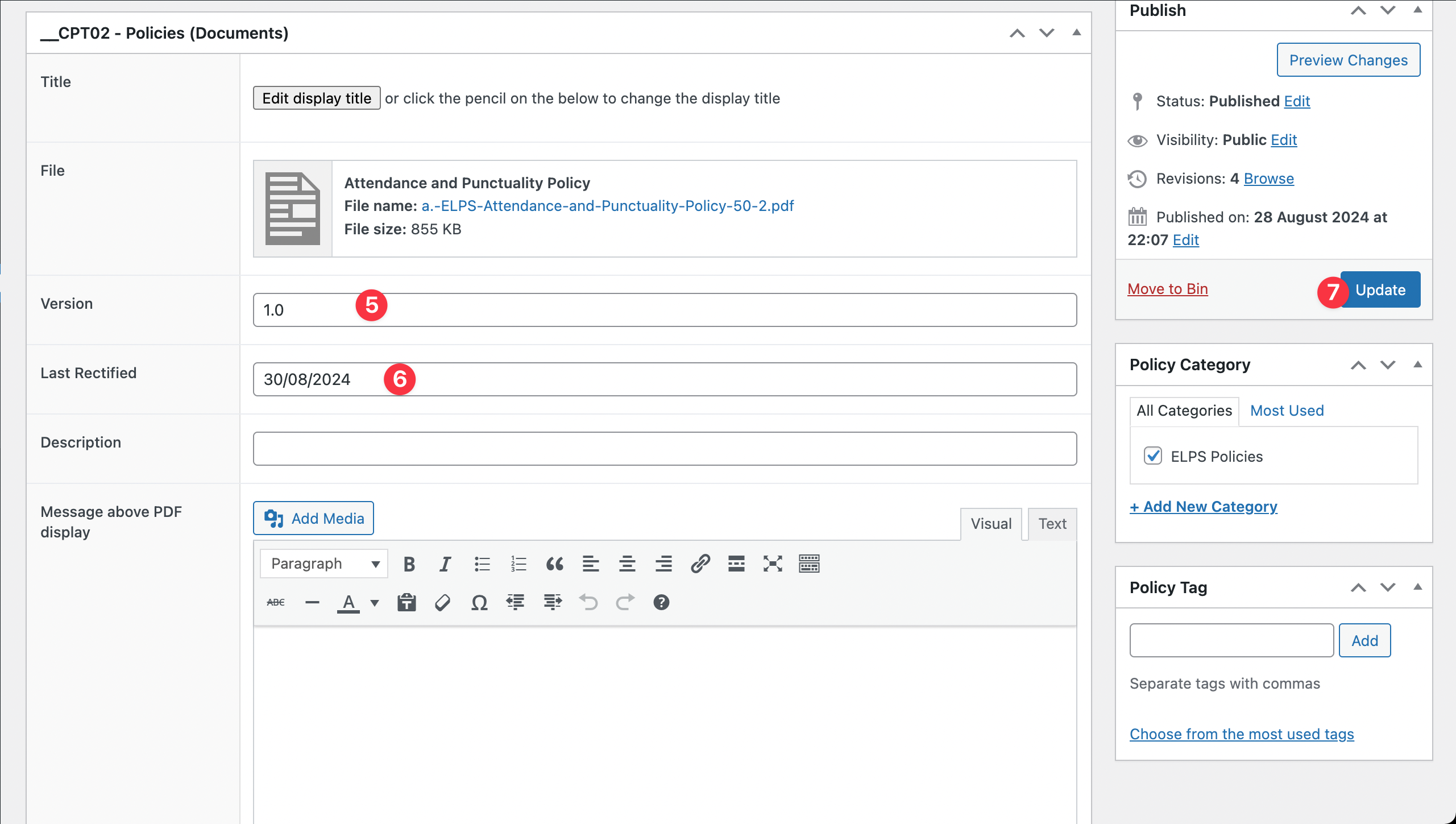
Uploading a policy

Step 1 (New): Hover over the “New” tab in the admin bar and click on “Policy Document”
Step 1 (Update Existing): Click the “EDIT” link next to policy you wish to update
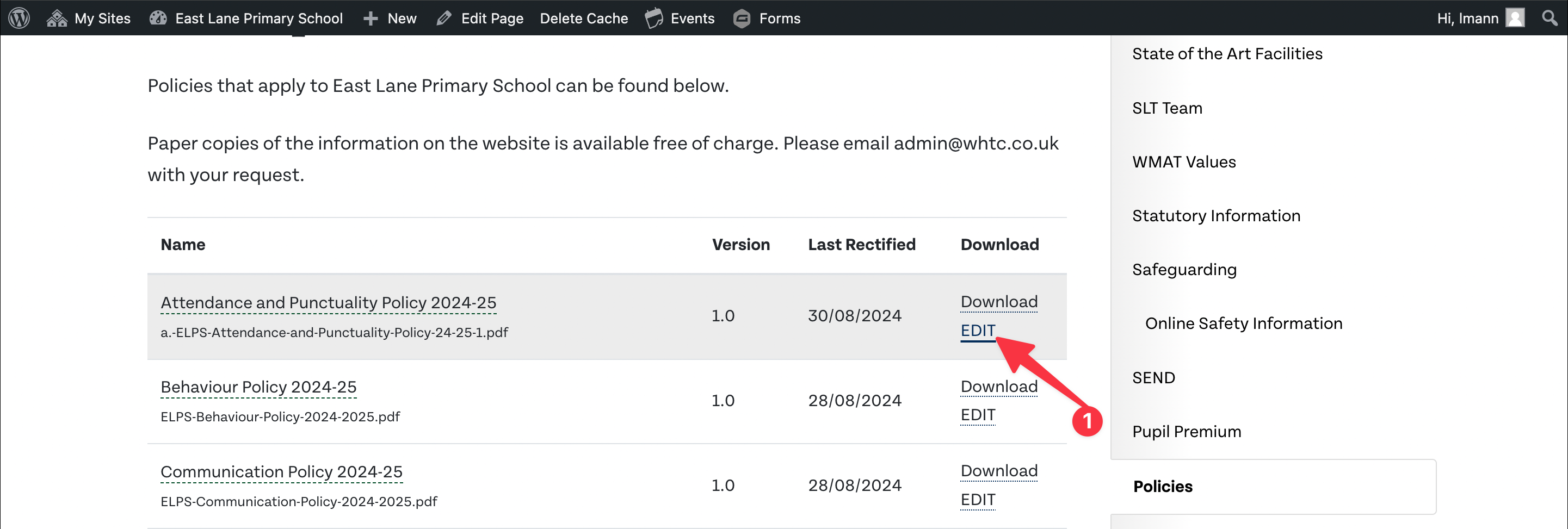
Step 2: Hover over the current document and click red ‘x’ to remove the current document
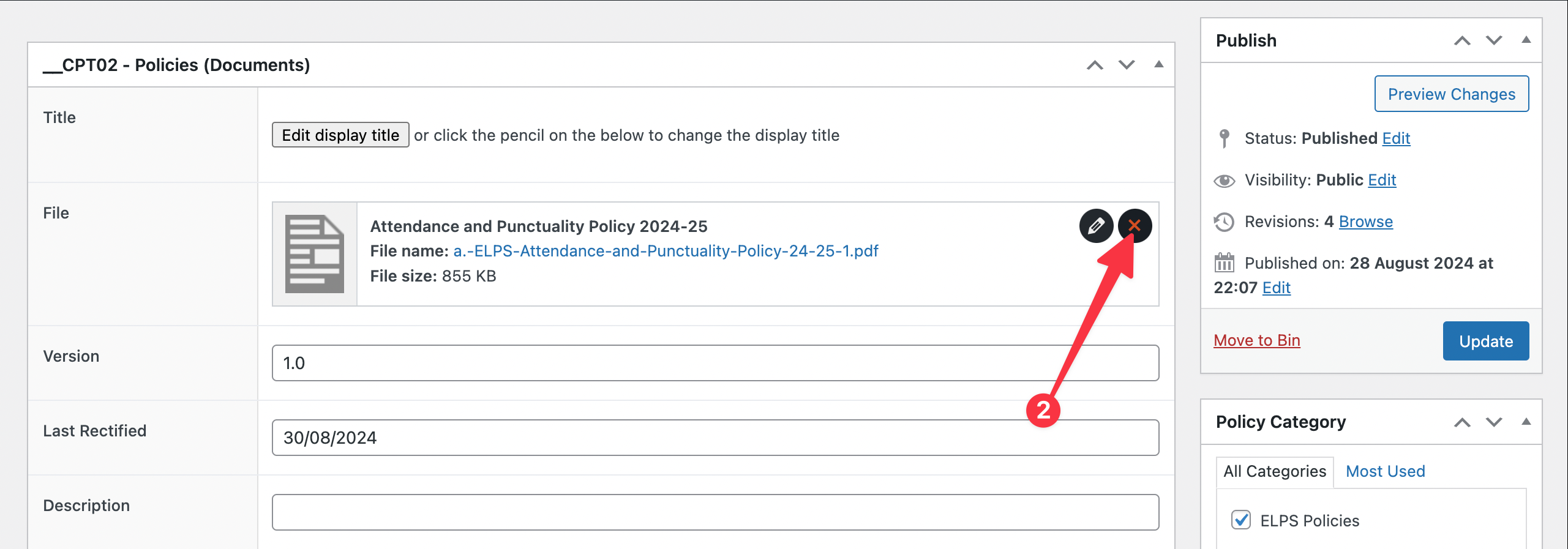
Step 3: Click add file
Step 4: Drag and drop the new PDF document into the media browser
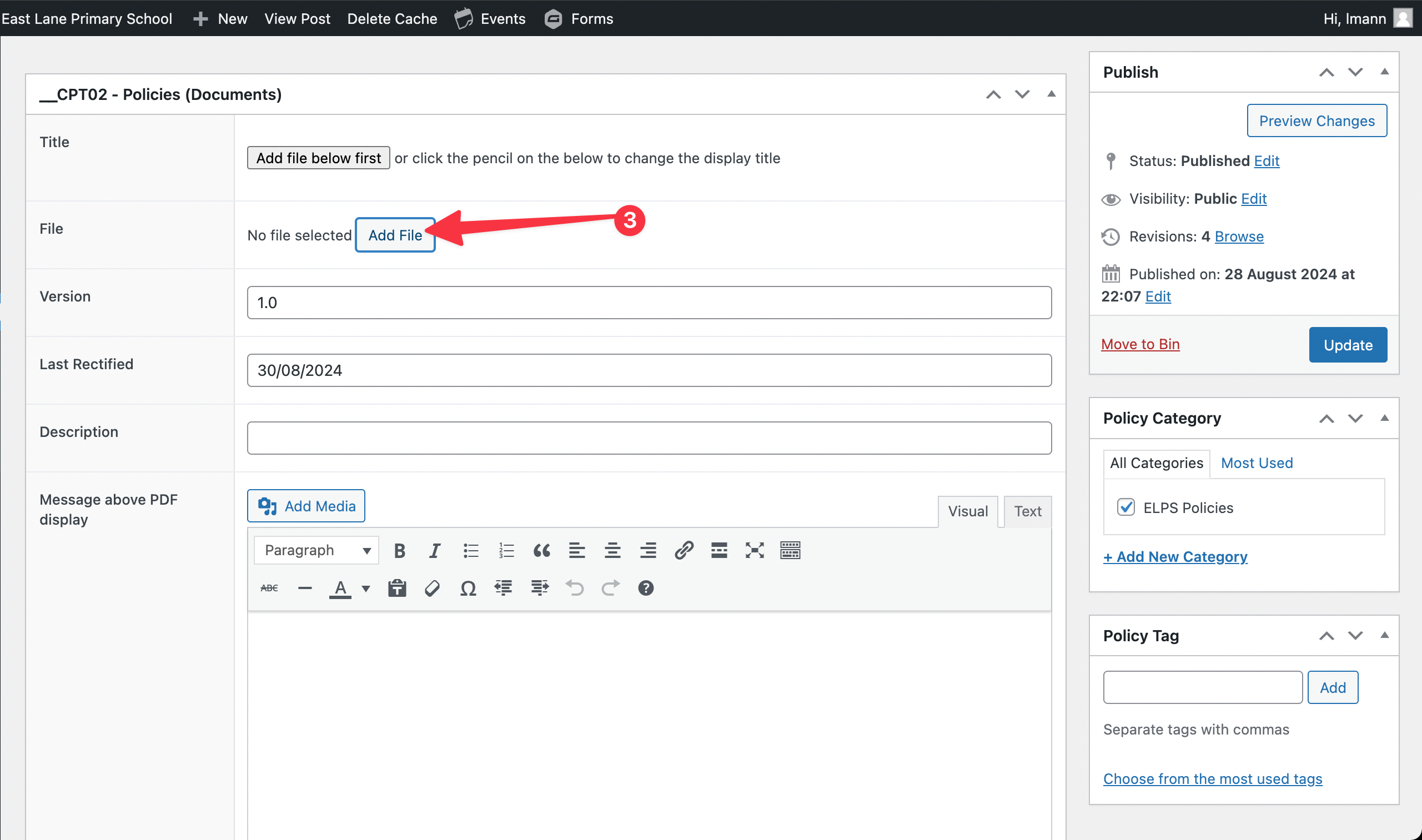
Step 5: Update the “Version” number if needed
Step 6: Update the “Last Rectified” date
Step 7: Save the changes